
Transparency at the Network Edge: Allegro Packets Edge Visibility Sensor

Anyone who has had to troubleshoot a complex issue at a remote workstation knows the challenge: often, someone needs to travel to the affected location to capture traffic for analysis to even begin. All too often, just when IT arrives, or a capture device has been installed, the issue disappears.
With the Edge Visibility Sensor, this time-consuming process becomes a thing of the past. This extension of the Allegro Network Multimeter enables remote access to network traffic captures collected directly on the end user's device.
Capture Network Data Before the Problem Disappears
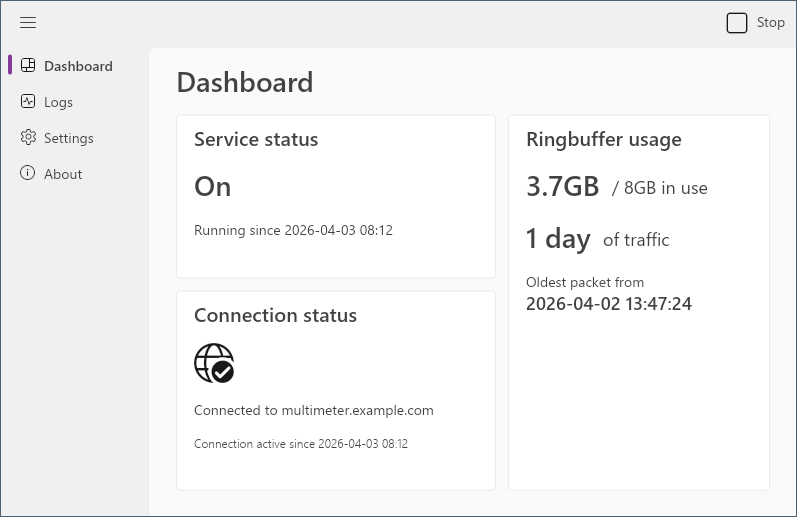
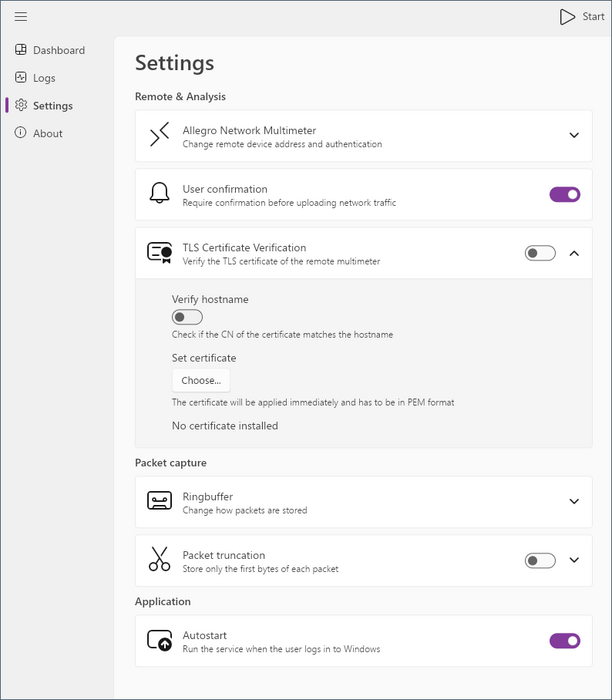
The Edge Visibility Sensor runs on the end user's system and continuously records local network traffic into a ring buffer — a rolling window of recent activity that is always available for analysis, without permanently storing large amounts of data. This makes it possible to analyze network data at the time a problem is reported, even if it was captured before a ticket was created.
Access is controlled and transparent. When required, a user can grant an administrator access to the ring buffer for targeted troubleshooting. This enables in-depth network analysis without continuous monitoring or unnecessary intrusion into user privacy.
Seamlessly Integrate Endpoints into Network Analysis
Once access is granted, the sensor connects to the Allegro Network Multimeter and forwards the captured data, allowing endpoints to be seamlessly integrated directly into existing monitoring and troubleshooting workflows.
Because the sensor keeps recording even without an active connection to the Allegro Network Multimeter, captured data is available for analysis whenever needed.
Faster Root Cause Analysis for Wi-Fi, VPN, and VoIP Issues
Edge Visibility is particularly well-suited to troubleshoot, analyze, and investigate problems that occur exclusively or primarily on remote and home office workstations, including:
- Microsoft Teams, Zoom, and VoIP call quality issues
- Intermittent Wi-Fi disruptions
- VPN connection problems
- Slow SaaS applications
- Remote and home-office connectivity and performance issues
- Short-lived, hard-to-reproduce incidents on endpoint devices
For network administrators, this means significantly improved root-cause analysis in distributed environments and remote-work scenarios.
Flexible Deployment: GUI and Command Line
A user-friendly graphical user interface (GUI) enables straightforward installation and operation on endpoint devices.
Alternatively, a command-line interface (CLI) is available, making the solution ideal for environments that do not allow software installation, automated deployment scenarios, or larger enterprise IT infrastructures.
This flexibility allows Edge Visibility to fit seamlessly into both manual and automated operational models.
Centralized Management in the Allegro Network Multimeter
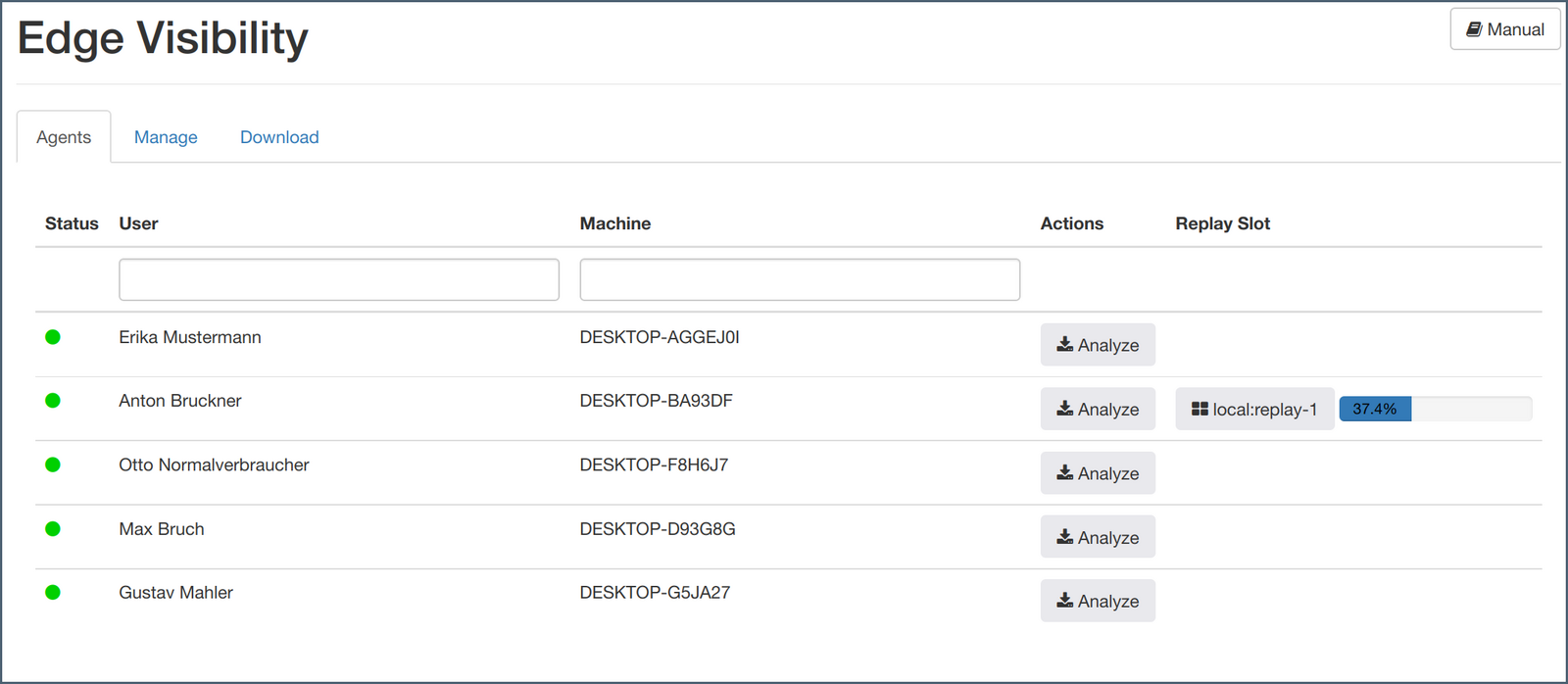
Management is performed through General → Edge Visibility within the Allegro Network Multimeter. Key functions include:
- Display of all connected clients (active systems running the sensor)
- Management of access tokens for secure authentication
- Provision of download links for the installer and CLI packages
This gives administrators full visibility into active connections and access permissions at all times.
Scalable Introduction
Starting with Release 4.7, Edge Visibility currently supports up to five simultaneous sensor connections. This enables targeted deployments for analyzing critical endpoints or specific troubleshooting scenarios. Additional connections can be purchased, allowing for larger rollouts and organization-wide endpoint visibility.
System Requirements
With Release 4.7 the Edge Visibility Sensor is currently available for Microsoft Windows 10 and Windows Server 2016 or later. Future versions will support additional operating systems.
Further details regarding activation, technical requirements, and installation procedures for Edge Visibility can be found in the official product documentation.