
Longterm DB
The Long-term DB feature (in firmware >= 4.3) uses an attached storage device to store traffic information of IP addresses and layer 7 protocols with low resolution for a much longer time than the live statistics.
The elements stored in the long-term DB are as follows, graph data is available in 5 minute resolution:
- MAC addresses (in firmware >= 4.5):
- Activity time
- Traffic graph in 5 minute resolution
- Global statistics
- IP addresses:
- Activity time
- Traffic graph in 5 minute resolution
- Global statistics (in firmware >= 4.5)
- IP peers and their traffic (in firmware >= 4.6)
- IP groups (in firmware >= 4.5):
- Activity time
- Traffic graph in 5 minute resolution
- Global IP pairs (in firmware >= 4.6):
- List of IP pairs and their traffic
- Layer 7 protocols:
- Traffic graph in 5 minute resolution
The storage is used similar to a swap file mechanism, so the long-term data is not kept between restart unless the DB persistence feature is enabled too, which is recommended when using the long-term feature. To reduce the amount of time to dump/restore, the DB persistence configuration allows to skip storing live data.
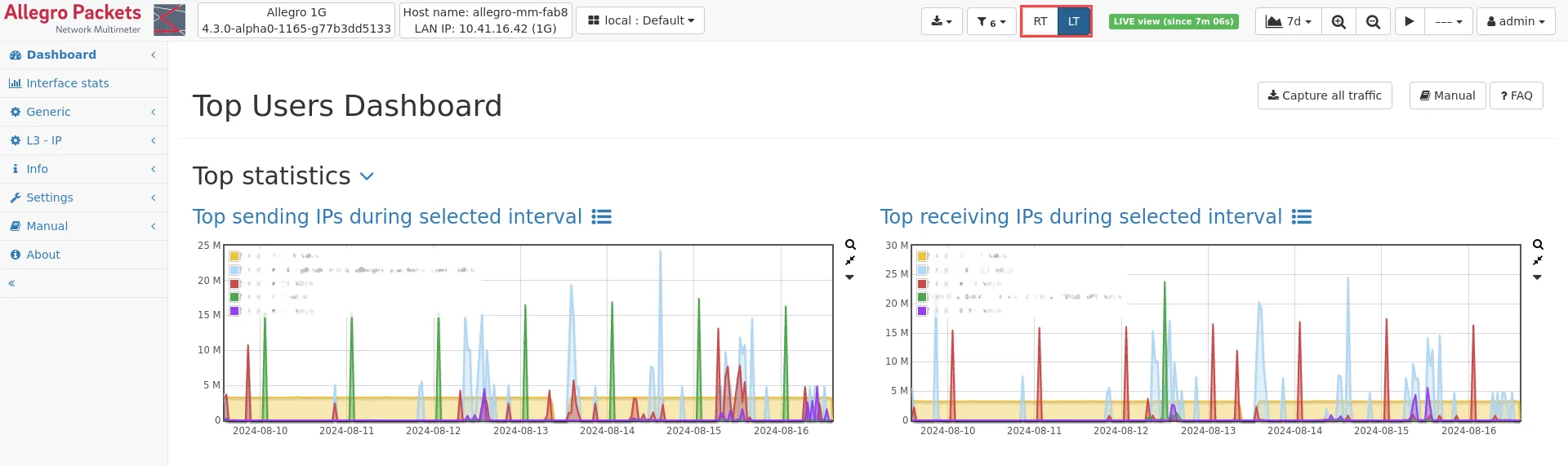
If this feature is enabled, a view toggle button appears in the top menu bar. This button allows to switch between the real time RT view and the long-term (LT) view.
In the long-term view, the IP address information contains only information about the traffic amount in 5 minute resolution. The navigation menu in the long-term view only contains those modules which are available in this view. If the long-term view is activated on module pages which do not support long-term data, a corresponding info box is shown.
Settings
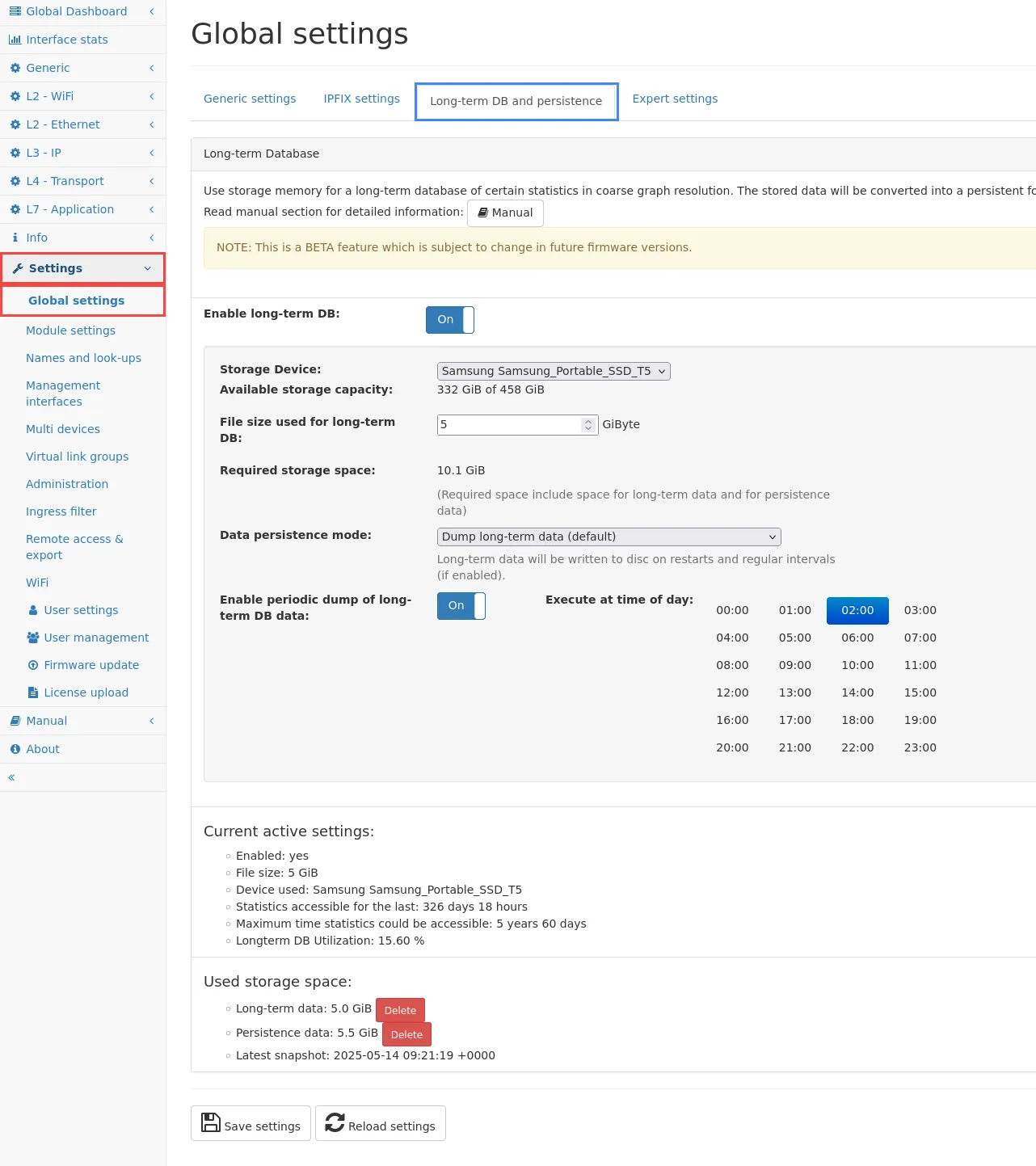
Section titled “Settings”The configuration can be found in the Settings → Global settings in the Long-term DB and persistence tab.
To enable this feature, select a storage device to be used, enable the feature and enter a file size.
It is recommended to also enable the DB persistence feature to be able to save and restore the long-term DB data during restarts.
Once enabled, the utilization of the file is shown and contains information about how long the data can be kept.
Tip: Since the amount of information stored in the long-term DB is limited by the graph resolution, the file size usually doesn’t need to be a similar size to main memory. 10 GByte is a good starting point.
The size can be increased, but it requires a restart of the packet processing.
Recommended storage device types:
| Storage device | Note |
|---|---|
| NVMe based SSD | recommended |
| SATA based SSD | can be used for moderate traffic, check system load for high system utilization |
| USB based SSD | not recommended, but might be useful for small systems (Allegro 200/500) |
| HDD | not recommended, should not be used |
It is also not recommended to place the long-term DB on the same storage device that is used for a packet ring buffer, as it will deteriorate the performance of both features.
Limitations
Section titled “Limitations”- The data in the long-term DB is limited to a selected subset of the data in the In-Memory-DB. See above for an exact list of elements available.
- The data is written into the long-term DB in variable intervals depending on traffic and system load. It takes up to 10 minutes (two graph intervals) until the data appears in the graph. Therefore, the last 5-10 minutes appear empty or with less traffic than in live view.