
IPMI BMC update
Most Allegro Network Multimeter come with a separate Management Interface (IPMI) which runs even if the system is powered off.
This Baseboard Management Controller (BMC) can be updated by the user manually by logging into the IPMI interface and executing the update steps described below.
Known Vulnerabilities
Section titled “Known Vulnerabilities”This section lists all known vulnerabilities, affected models and solutions.
The System ID in the Allegro web interface Info → System Info contains the model number, such as “Allegro-5300-rev2+…”.
Firmware version >= 4.2 lists possible updates for the BMC at the page Settings → Firmware update.
List of known vulnerabilities:
- https://www.supermicro.com/en/support/security_BMC_IPMI_Oct_2023
- Related CVEs:
- CVE-2023-40289
- CVE-2023-40284
- CVE-2023-40287
- CVE-2023-40288
- CVE-2023-40290
- CVE-2023-40285
- CVE-2023-40286
- Affected Allegro models:
- 1000-rev1
- 1200-rev1
- 1000-rev3
- 1200-rev3
- 3000-rev1
- 3200-rev1
- 3000-rev3
- 3200-rev3
- x300-rev1
- x300-rev3
- x500-rev1
- x500-rev2
- Related CVEs:
Update steps
Section titled “Update steps”-
Select your model from the following list and download the update Zip file and unzip it. Find your model in the System ID at the page Info → System Info.
Model Update download Allegro 1000/1200 rev 1 https://www.supermicro.com/en/support/resources/downloadcenter/firmware/MBD-X10SDV-TP8F/BMC Allegro 1000/1200 rev 3 https://www.supermicro.com/en/support/resources/downloadcenter/firmware/MBD-X11SDV-4C-TP8F/BMC Allegro 3000/3200 rev 1 https://www.supermicro.com/en/support/resources/downloadcenter/firmware/MBD-X10SDV-7TP8F/BMC Allegro 3000/3200 rev 3 https://www.supermicro.com/en/support/resources/downloadcenter/firmware/MBD-X11SDV-16C-TP8F/BMC Allegro 1300/3300/5300 rev 1 https://www.supermicro.com/en/support/resources/downloadcenter/firmware/MBD-H12SSW-NT/BMC Allegro 1300/3300/5300 rev 3 https://www.supermicro.com/en/support/resources/downloadcenter/firmware/MBD-H12DSU-iN/BMC Allegro 1500/3500/5500 rev 1 https://www.supermicro.com/en/support/resources/downloadcenter/firmware/MBD-X11DPH-T/BMC Allegro 1500/3500/5500 rev 2 https://www.supermicro.com/en/support/resources/downloadcenter/firmware/MBD-H11SSL-NC/BMC -
To find out the IP address of the IPMI port:
- Connect LAN cable to IPMI Port.
- On a running Allegro Network Multimeter web interface, the current IPMI address can be found/configured in the management interface settings section.
- Otherwise, connect monitor to VGA port and read IPMI address from monitor.
-
Use web browser and connect to IPMI IP address.
-
Find password on device label and enter username
ADMIN. Older devices are shipped with the default passwordADMIN. If you cannot find the password for your device, you may contact the Allegro Packets Support for more information.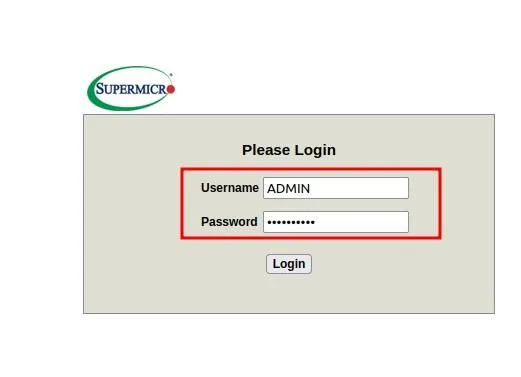
-
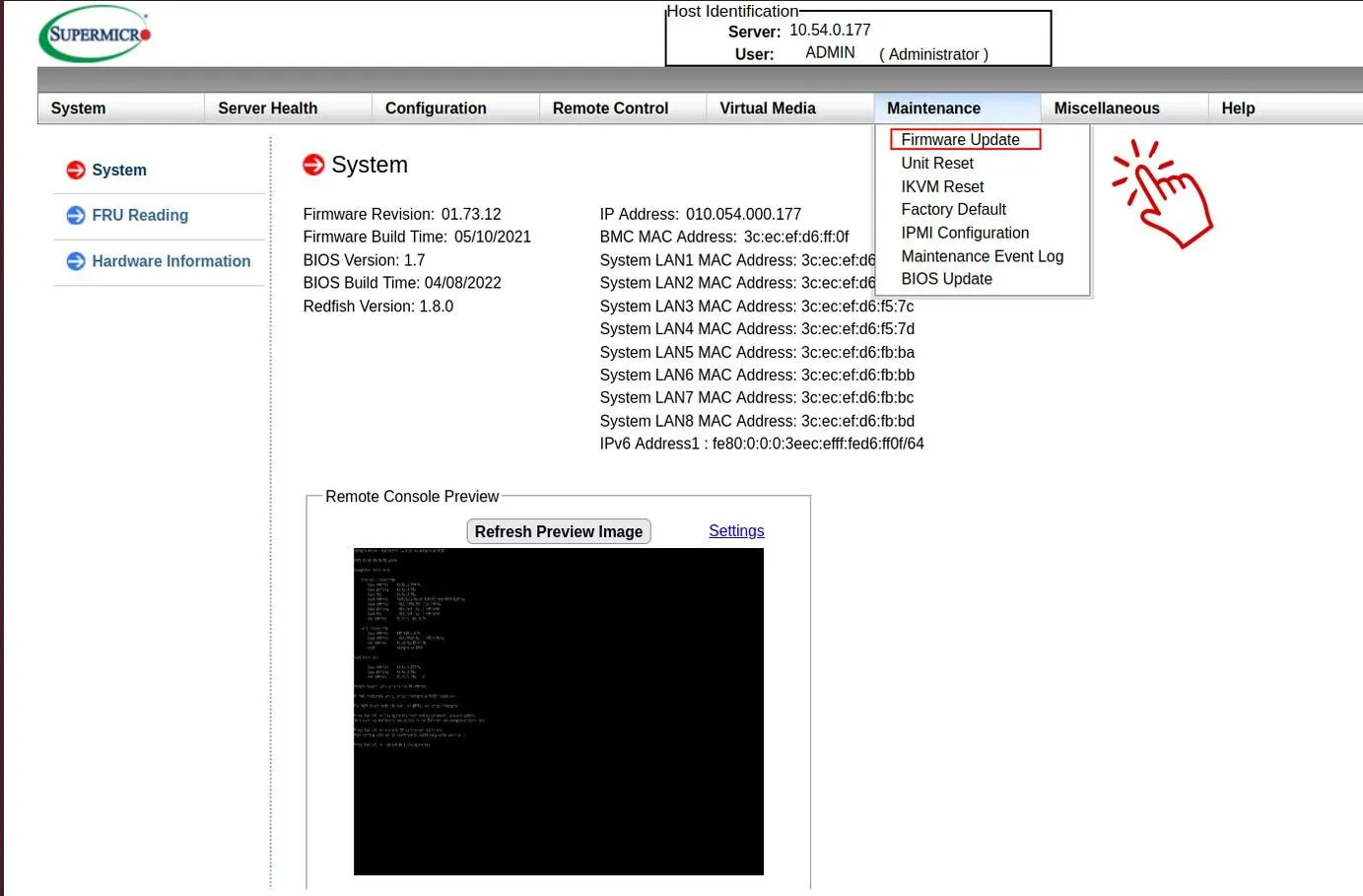
Go to Maintenance → Firmware Update.
-
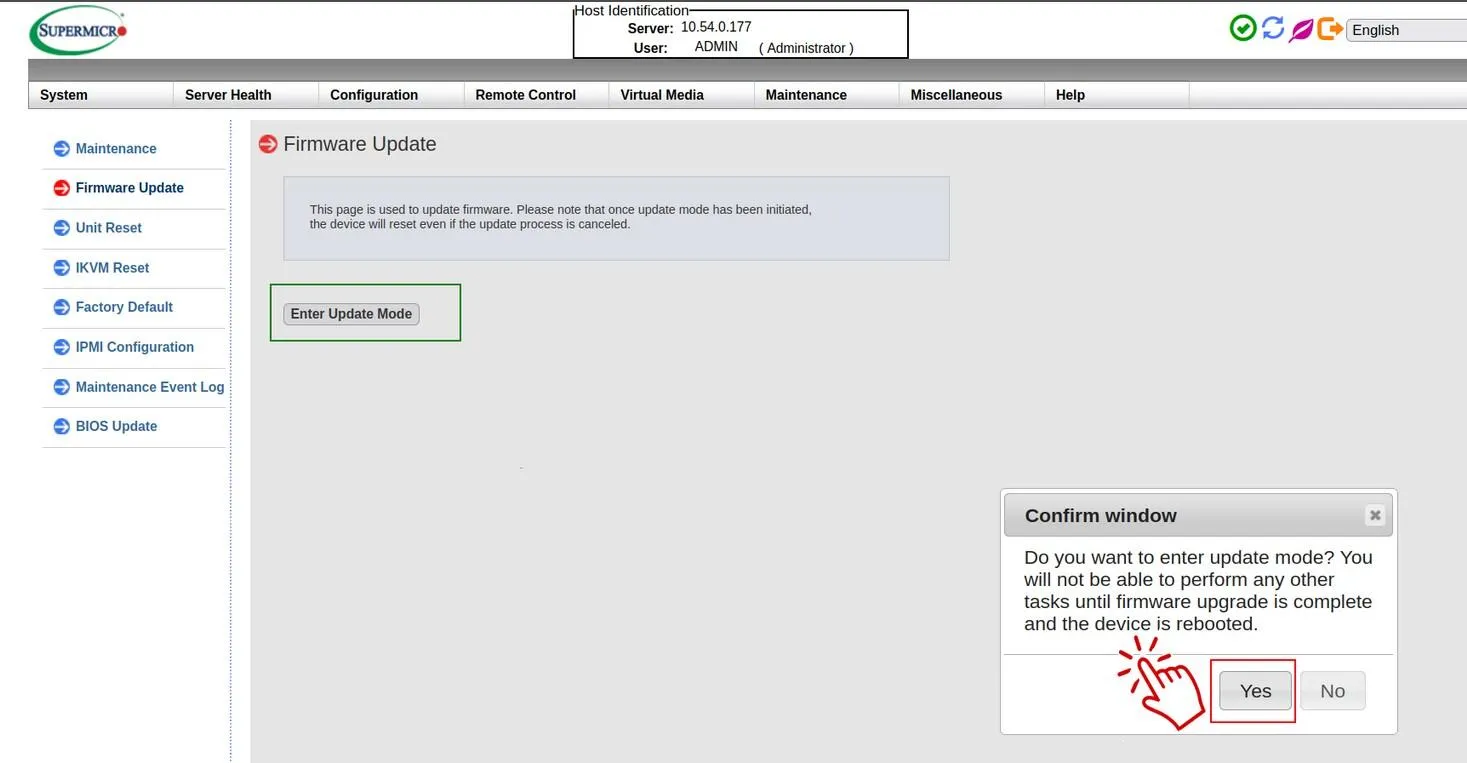
Select Enter Update Mode and confirm.
-
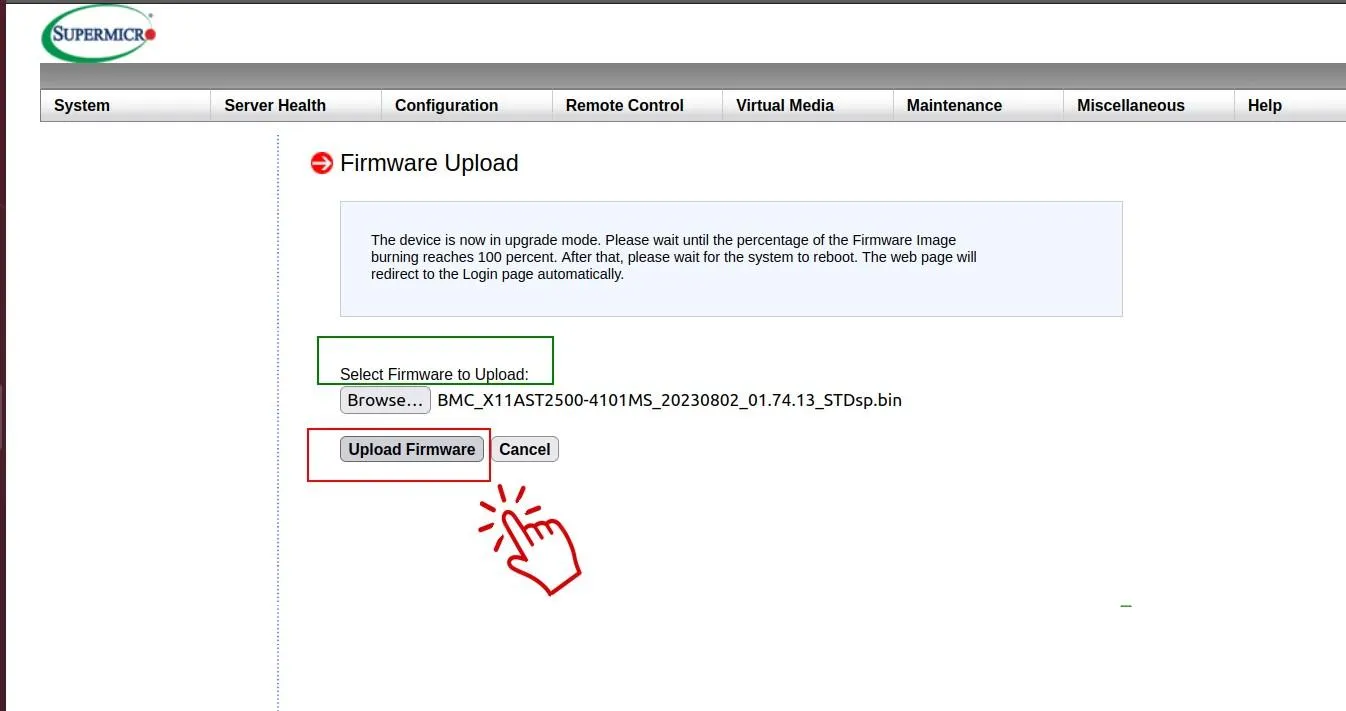
Select the new BMC Version (.bin file) and upload file.
-
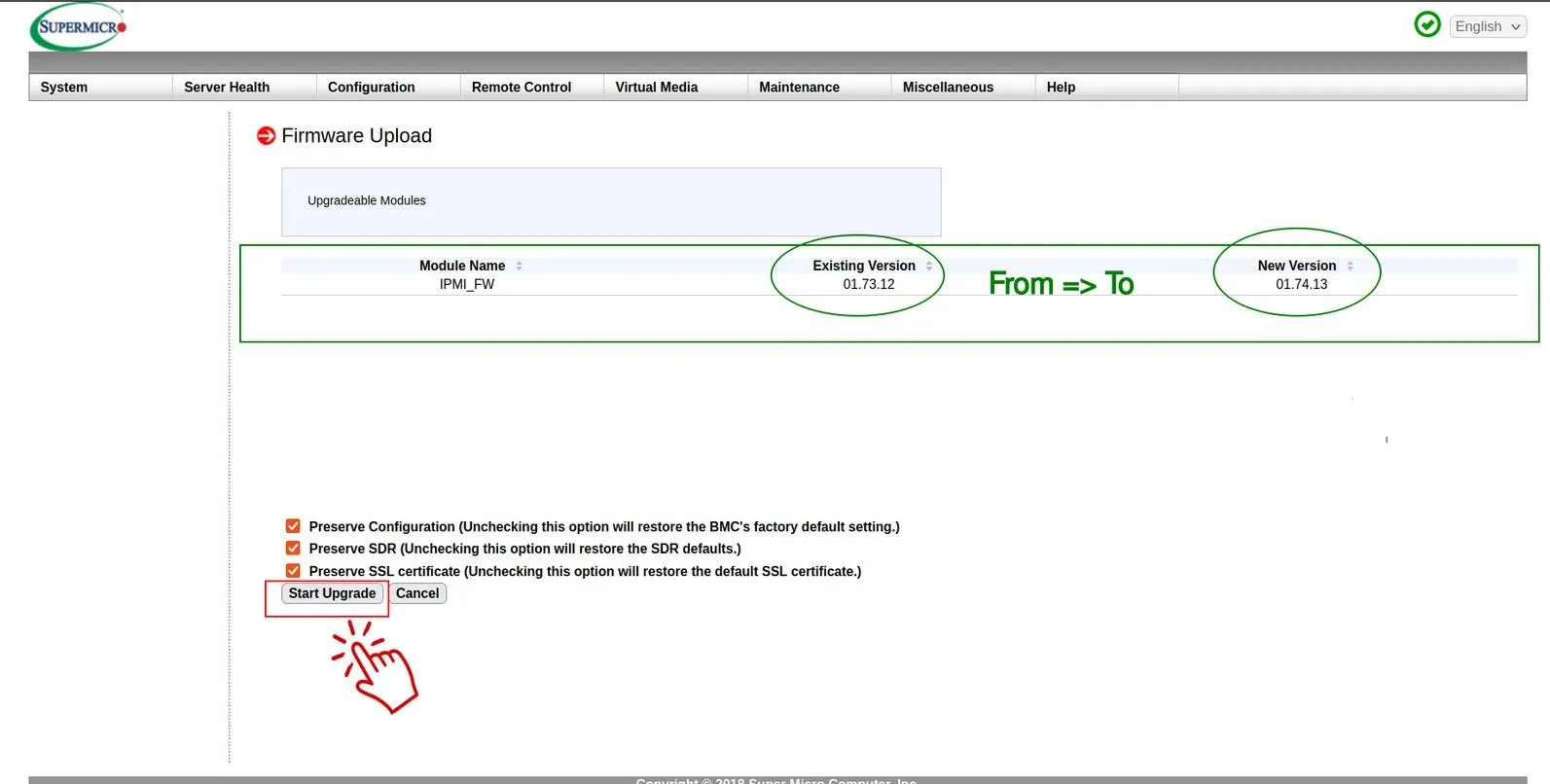
Keep all 3 checkboxes selected and Start upgrade.
-
Power cycle the device to make sure the new BMC firmware is running.