
iPerf3 Speedtest
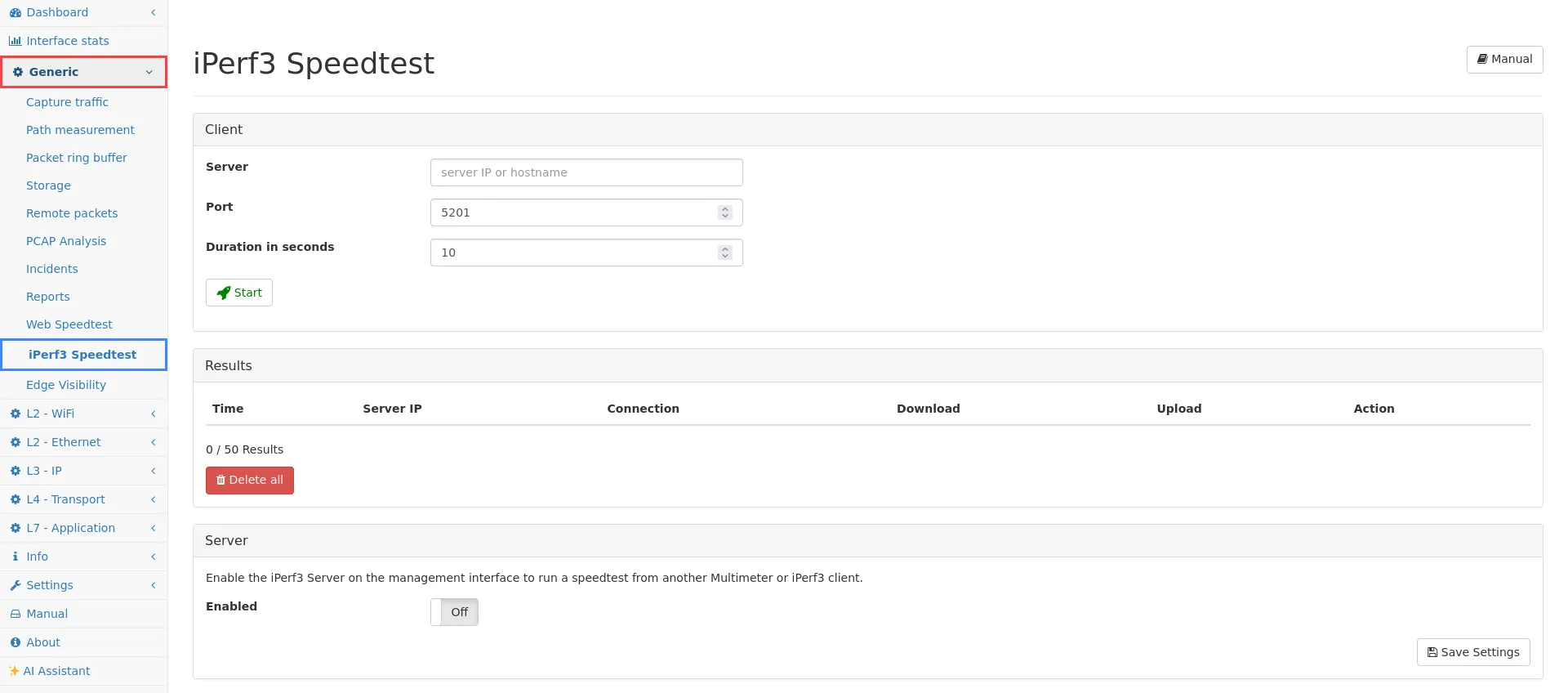
The iPerf3 Speedtest can be used to measure the network speed between the management interface of the Allegro Network Multimeter and a iPerf3 server (for example the management interface of another Allegro Network Multimeter). If you want to measure the network speed betwen the management interface of the Allegro Network Multimeter and your browser, you can the Web Speedtest.
This integrated iPerf3 client do a upload and a download (client to server and server to client) test with TCP of the connection. The durration setting refers to test durration of one direction. The server supports measurements via UDP too.
Results
Section titled “Results”The results are displayed in the results table. Up to 50 speedtest results can be stored.
Clicking on the Server IP address will redirect you to the IP page of this address in the IP module if this address has been captured in the selected Virtual Link Group.
To find the connections from a speedtest, click Search and you will be redirected to the connections tab of the server IP if the speedtest traffic has been captured in the selected Virtual Link Group.
Server
Section titled “Server”The iPerf3 server is turned off by default. You are able to start the server and configure the used Port.
The documentation and the client can be found on the iPerf3 project page.
If the IP address of your Allegro Network Multimeter is 10.0.1.1 and the configured port is 5201 you can run iperf3 against your Allegro Network Multimeter with:
iperf3 -c 10.0.1.1 -p 5201Limitations
Section titled “Limitations”It is not possible to start several speedtest with the iPerf3 client at the same time.
Note that the traffic of the management interface will not be captured by the measurement interfaces. If you want to see the iPerf3 speedtest traffic in the IP module, make sure that the server IP or the Allegro Network Multimeter management traffic is captured by the measurement interfaces.